

Salesforce orgs rarely start messy.
They begin clean—well-structured objects, simple automations, and a clear purpose. But as the business grows, so does complexity. New requirements pile up. Quick fixes get deployed. Integrations multiply.
Before long, what used to be a streamlined CRM becomes… slow, confusing, and fragile.
That’s Salesforce technical debt.
It doesn’t just sit quietly in the background—it actively slows down innovation, increases costs, and frustrates users. The good news? It’s fixable.
In this guide, we’ll break down how Salesforce technical debt happens and, more importantly, how to systematically eliminate it.
What is Salesforce Technical Debt?
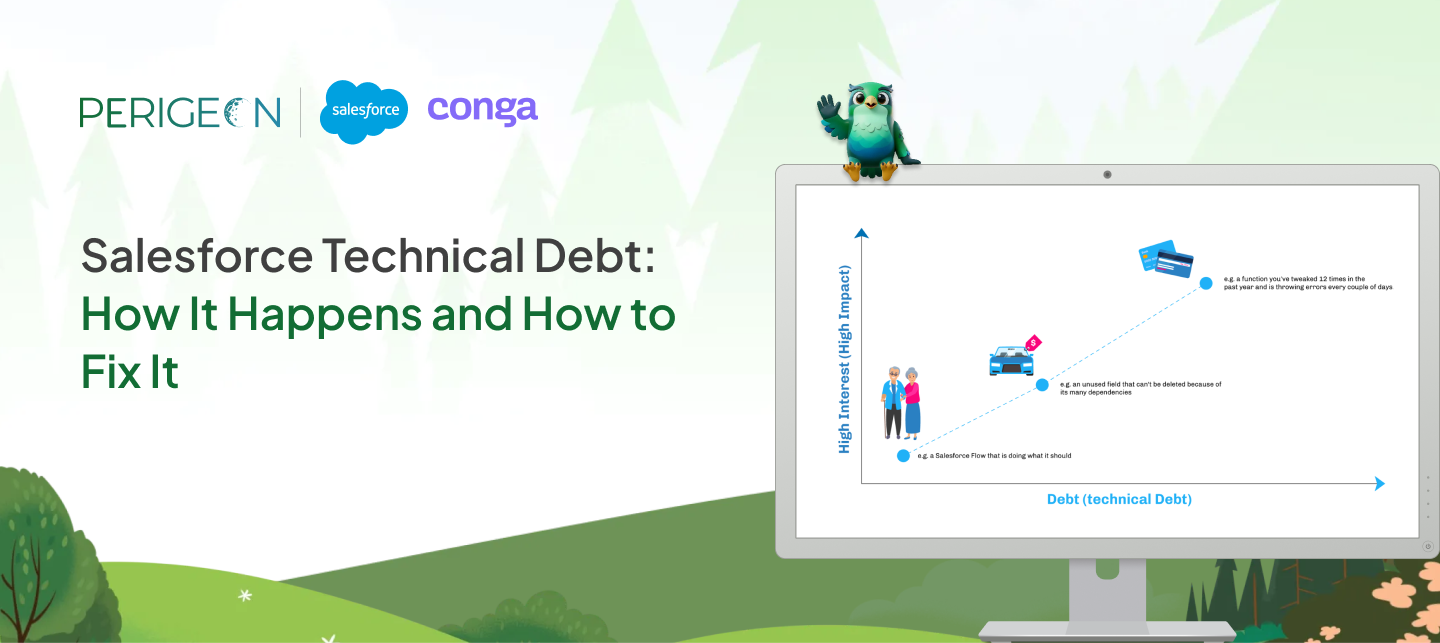
Salesforce technical debt refers to the accumulated cost of shortcuts taken during development, configuration, data management, and integrations.
Think of it like financial debt:
- You take a shortcut today (quick fix, rushed automation)
- You “borrow” time to move faster
- But you pay interest later—in complexity, bugs, and inefficiency
It exists across multiple layers:
- Code debt → poorly written Apex, unmanaged triggers
- Configuration debt → redundant fields, messy flows
- Data debt → duplicates, inconsistent formats
- Integration debt → outdated or brittle APIs
Left unchecked, this “interest” compounds quickly.
How Technical Debt Happens
Over-Customization
Salesforce is flexible—that’s both its strength and its risk.
Teams often:
- Create multiple fields for the same purpose
- Build overlapping automations
- Customize instead of standardizing
Result: A system no one fully understands.
Poor Data Management
Data is the backbone of your CRM. When it’s unmanaged:
- Duplicate records grow
- Validation rules are inconsistent
- Reports become unreliable
This leads directly to CRM performance issues in Salesforce.
Lack of Governance
No ownership = no control.
Common issues:
- Anyone can create fields or flows
- No naming conventions
- No documentation
Over time, your org becomes a patchwork of decisions.
Legacy Integrations
Old integrations rarely age well.
- APIs change
- Middleware becomes outdated
- Dependencies break silently
These integrations often become the hidden source of system instability.
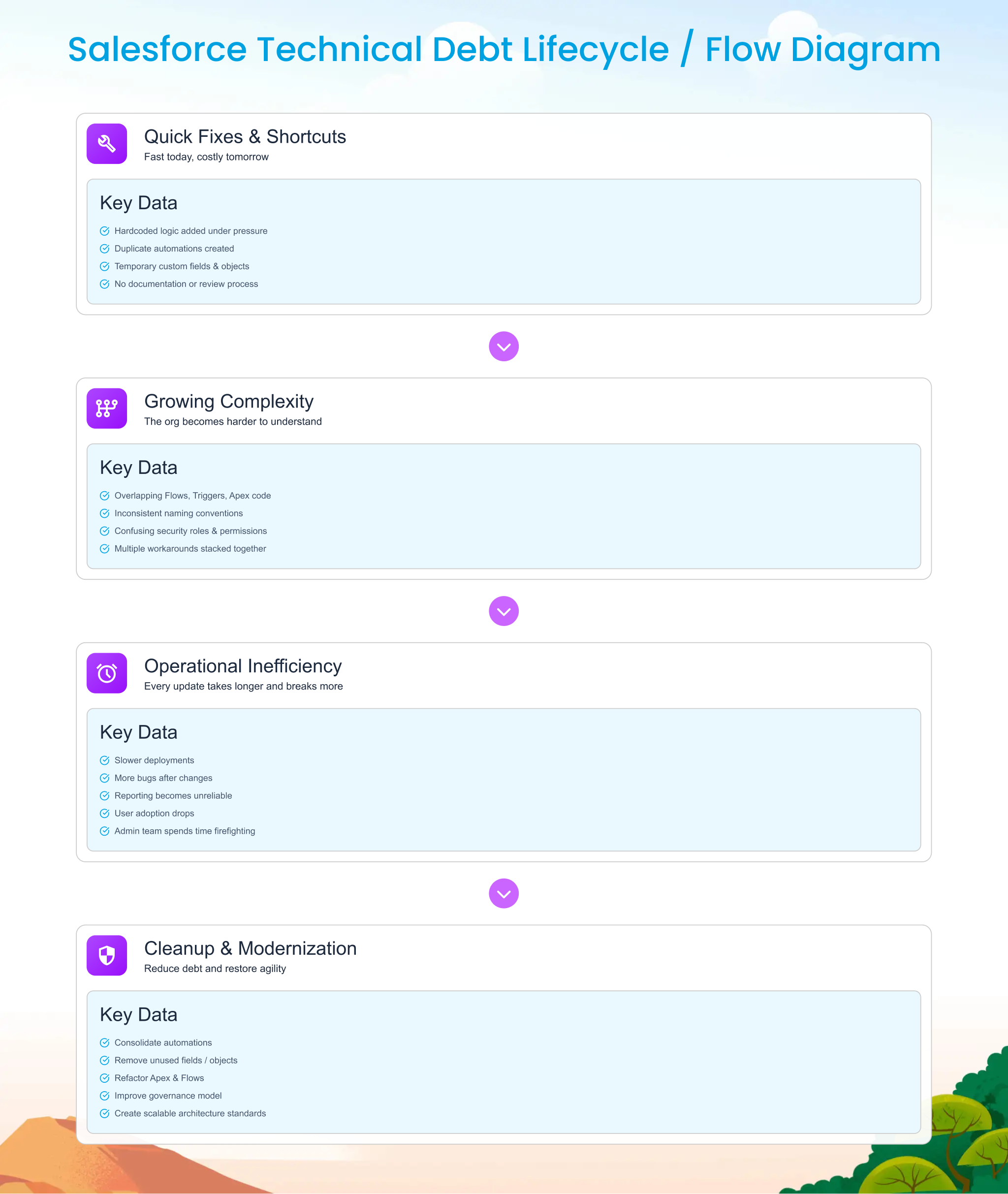
Signs Your Salesforce Org Has Technical Debt
You don’t need a full audit to spot the warning signs.
Look for:
- Slow performance (long load times, laggy reports)
- Broken automations (flows failing silently)
- Duplicate fields (e.g., “Customer Type,” “Customer_Category__c”)
- Deployment issues (unexpected failures during releases)
- User complaints (“Salesforce is too complicated”)
If your team avoids making changes because “something might break,” you already have debt.
Impact of Technical Debt
Increased Costs
- More time spent debugging than building
- Higher dependency on senior developers
- Expensive maintenance cycles
Poor User Experience
- Confusing UI
- Inconsistent data
- Reduced adoption
A CRM that users don’t trust is a liability.
Slower Innovation
Every new feature becomes harder to implement.
Instead of moving fast, teams spend time:
- Understanding legacy logic
- Fixing regressions
- Working around limitations
How to Fix Salesforce Technical Debt
Fixing debt isn’t about a quick cleanup—it’s a structured process.
Conduct a Salesforce Org Audit
Start with visibility:
- Identify unused fields, objects, and automations
- Review Apex code quality
- Analyze data health
Use tools like Salesforce Optimizer for baseline insights.
Clean Unused Fields & Automations
This is the fastest win.
- Remove unused fields
- Deactivate redundant flows
- Consolidate duplicate logic
This alone can significantly reduce Salesforce technical debt.
Refactor Code & Flows
Focus on:
- Moving from multiple triggers → single trigger frameworks
- Simplifying complex flows
- Removing hardcoded logic
Think long-term maintainability, not just functionality.
Improve Data Governance
Set rules for:
- Data entry standards
- Deduplication processes
- Validation logic
Clean data = better performance + better decisions.
Optimize Integrations
- Replace outdated APIs
- Standardize integration architecture
- Monitor failures proactively
A stable integration layer is critical for scale.
Prevention Strategy
The best way to deal with technical debt? Don’t create it.
Establish a Governance Model
- Define ownership (Admin, Architect, Dev)
- Implement approval processes
- Maintain documentation
Follow Salesforce Best Practices
- Use standard objects where possible
- Avoid unnecessary customization
- Keep automations simple
Run Regular Audits
Quarterly reviews can prevent years of cleanup later.
Align Teams
Business + IT must work together.
Most technical debt comes from misaligned priorities—not bad intentions.
Real-World Example
Before Cleanup:
- 1,200+ custom fields
- 45 active flows (many redundant)
- Frequent deployment failures
- Reporting inconsistencies
After Cleanup:
- Reduced fields by 35%
- Consolidated flows to 18 optimized automations
- Deployment success rate improved by 60%
- Report accuracy significantly improved
The biggest change?
Users started trusting Salesforce again.
Tools to Manage Technical Debt
Here are practical tools to support your Salesforce optimization strategies:
- Salesforce Optimizer → Identifies unused fields, workflows
- DevOps Center / CI-CD tools → Safer deployments
- Data quality tools → Deduplication & enrichment
- Code analysis tools → Improve Apex quality
These tools don’t replace strategy—but they accelerate execution.
Conclusion
Salesforce technical debt isn’t a one-time problem—it’s a continuous risk.
Every shortcut, every rushed deployment, every ungoverned change adds to it.
But with the right approach—audits, governance, and optimization—you can turn your Salesforce org back into a growth engine.
The key is simple:
Don’t just build fast. Build sustainably.
Fix Salesforce Technical Debt Before It Slows You Down.

FAQs
+
+
+
+
+
+
+
Conclusion
Salesforce technical debt isn’t a one-time problem—it’s a continuous risk.
Every shortcut, every rushed deployment, every ungoverned change adds to it.
But with the right approach—audits, governance, and optimization—you can turn your Salesforce org back into a growth engine.
The key is simple:
Don’t just build fast. Build sustainably.