

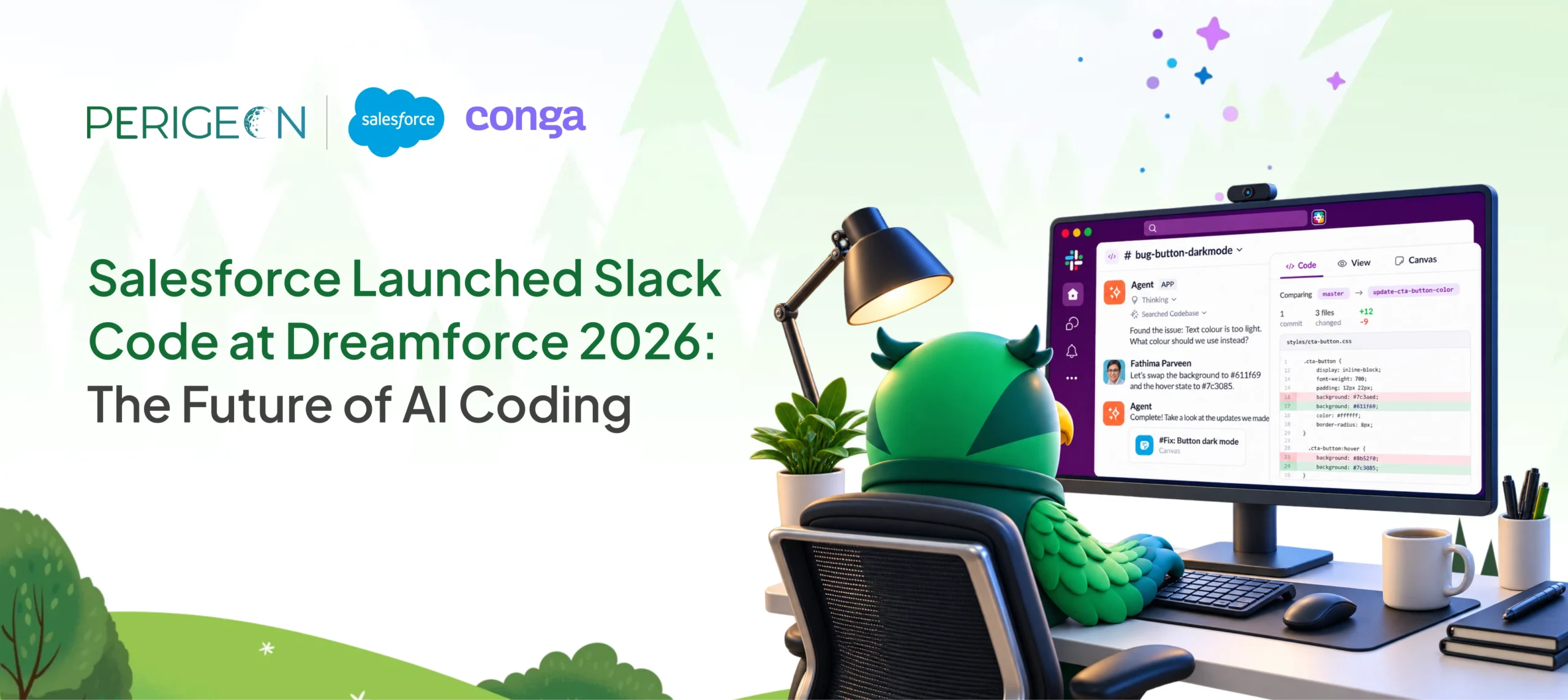
At Dreamforce 2026, Salesforce introduced Slack Code, a new way for software teams to collaborate with AI coding agents directly inside Slack.
Instead of keeping AI-assisted development inside a developer’s private terminal, browser tab, or coding environment, Slack Code creates dedicated code channels where developers, product managers, designers, and AI agents can work together.
The idea is straightforward: AI coding becomes a team activity rather than an individual workflow.
According to Salesforce, Slack Code allows teams and agents to write, review, and ship code together while keeping the conversation, code changes, previews, and feedback in one shared workspace.
This announcement is part of Salesforce’s broader direction toward bringing people, AI agents, business data, applications, and workflows into connected work environments.
Key Takeaways:
- Slack Code brings AI-assisted software development directly into Slack.
- Teams can create dedicated code channels around individual projects or development tasks.
- AI coding agents can help with feature development, bug fixes, prototypes, and other software tasks.
- Team members can review code diffs and live previews within the shared workspace.
- Product managers, designers, developers, and non-technical stakeholders can participate in the development conversation.
- Slack Code supports coding agents from partners including Anthropic, Cognition, GitHub, OpenAI, and Vercel.
- Salesforce describes this approach as multiplayer AI and agentic coding for teams.
What Is Slack Code?
Slack Code is a collaborative AI coding environment inside Slack that allows people and AI agents to work together on software development.
The core feature is the code channel.
A code channel is a dedicated workspace for a development project or task. It brings together the conversation, coding-agent activity, code changes, previews, and human feedback.
For example, imagine a product manager reports a checkout bug in Slack.
Instead of creating a separate ticket and waiting for a developer to investigate, the team could involve a coding agent. The agent can work on the proposed fix inside a code channel while developers review the changes and stakeholders provide feedback.
Salesforce describes a workflow in which a product manager identifies a bug, an agent proposes a fix, an engineer reviews the code and preview, and the work can then move toward a pull request and production deployment.
The important change is not simply that AI can write code.
It is that the development process becomes visible and collaborative.
Also Read: Slack for external collaboration — channels with clients and partners
Why Did Salesforce Introduce Slack Code?
AI coding assistants have already changed how developers create software.
Coding agents can generate code, investigate bugs, modify files, create prototypes, and perform other development tasks. However, much of this activity traditionally happens inside an individual developer’s environment.
That creates a collaboration problem.
A developer may work with an AI agent for several hours before the rest of the team sees the result. Context can remain inside private conversations, browser tabs, terminals, or development tools.
Slack Code addresses this gap by moving the AI coding workflow into a shared team environment.
Salesforce describes the evolution as moving from:
Solo coding → AI copilots → multiplayer AI coding
The goal is to make development activity visible to the people who need to contribute to it.
How Does Slack Code Work?
Slack Code revolves around project-based code channels.
A typical workflow can look like this:
1. Identify a development task: A team discovers a bug, feature request, website change, or development requirement in Slack.
2. Bring in an AI coding agent: A coding agent can be tagged to help with the task. Slack Code can automatically create a dedicated code channel for the work.
3. Share context: The agent can work with relevant conversations, screenshots, documentation, and other context already available to the team.
4. Generate or modify code: The AI agent works on the requested development task.
5. Review the code: Team members can inspect code changes and diffs directly within the code channel.
6. Test through previews: Slack Code provides live previews so teams can see the resulting output before shipping.
7. Provide feedback: Developers, product managers, designers, or other stakeholders can provide feedback and redirect the agent when necessary.
8. Human approval: For higher-impact actions such as production deployment, Slack Code keeps a human approval step in the workflow.
This creates a collaborative loop:
Request → AI Agent → Code → Review → Feedback → Approval → Deployment
What Are Slack Code Channels?
Slack Code channels are dedicated Slack workspaces designed specifically for collaborating with AI coding agents on software projects.
They are different from ordinary Slack conversations because they are designed around development output.
According to Salesforce, code channels include:
- Project-based organization
- Automatic creation and archiving
- Dedicated tabs
- Code diffs
- Live previews
- Conversation history
- Agent collaboration
- APIs for customizing agent workflows
Each code channel maps to a project, helping keep development activity focused rather than mixing it with unrelated team conversations.
When a task is complete, the channel can be archived while preserving its history as searchable organizational context.
Slack Code vs Traditional AI Coding Workflows
The difference becomes clearer when comparing the workflows.
| Traditional AI Coding Workflow | Slack Code |
| Developer works privately with an AI agent | Team and AI agent work in a shared code channel |
| Context can remain inside individual tools | Development context stays visible to the team |
| Review often happens after the AI task | Review can happen during the task |
| Stakeholders may rely on tickets or meetings | Stakeholders can participate directly |
| Code output is the primary handoff | Conversation, context, code, and preview stay connected |
| AI coding is primarily individual | AI coding becomes collaborative |
Slack Code does not necessarily replace existing developer tools. Instead, it adds a collaborative layer around AI-assisted development.
Which AI Coding Agents Work With Slack Code?
Salesforce announced Slack Code with support for coding agents from several technology partners.
The initial ecosystem includes:
- Anthropic’s Claude
- Cognition’s Devin
- GitHub Copilot
- OpenAI’s ChatGPT
- Vercel’s agents
Salesforce also describes Slack Code as an expanding ecosystem, with additional agents becoming available through its APIs and partner network.
This approach is important because organizations often use multiple AI development tools rather than relying on a single coding assistant.
Slack Code is positioned as the shared collaboration environment where those agents can interact with the team.
What Can Teams Build With Slack Code?
Slack Code can be useful for a range of software development scenarios.
Bug Fixes:
A bug reported in a Slack conversation can become a development task without moving the entire discussion to another system. The coding agent can investigate the issue, propose changes, and provide a preview for review.
Website Updates:
Teams can use an AI coding agent to modify website components, content sections, UI elements, or other front-end functionality while stakeholders observe the work.
New Features:
Product teams can describe a feature requirement and collaborate with developers and coding agents around the implementation.
Prototypes:
Teams can use AI-assisted development to create early prototypes and review the results collaboratively.
Code Reviews:
Code diffs can be reviewed inside the code channel, allowing developers and other stakeholders to understand what changed.
Development Experiments:
Teams can explore technical ideas without separating the development conversation from the rest of the project context.
How Does Slack Code Change Software Development?
The biggest shift is not simply faster code generation.
It is shared context.
In conventional AI coding workflows, the developer has most of the context. Other stakeholders may only see the final pull request or finished feature.
Slack Code brings more of that process into the shared workspace.
A product manager can explain the business requirement.
A designer can provide feedback.
A developer can review implementation details.
An AI agent can generate or modify code.
The team can see the resulting changes and preview.
This creates a more connected development workflow.
Salesforce calls this approach multiplayer coding, where humans and AI agents collaborate in the same environment.
Why Human Oversight Still Matters in Agentic Coding
AI coding can increase development speed, but software changes still need appropriate review.
Slack Code incorporates human involvement into the workflow.
Team members can review changes, provide instructions, redirect an agent, or stop its work. For higher-stakes actions such as production deployment, Salesforce says the agent packages its work for human sign-off.
This creates a practical model:
AI generates and executes → Humans review and decide
That distinction is particularly important for enterprise development environments where security, quality, compliance, and business requirements need to be considered.
Slack Code and Salesforce’s Agentic Enterprise Strategy
Slack Code is part of a larger Salesforce strategy around AI agents and connected enterprise work.
At Dreamforce 2026, Slack also highlighted broader changes involving Slackbot, Salesforce data, interactive Slackforce Surfaces, and AI-powered collaboration. Slack described these updates as bringing people, agents, applications, and business information together in one working environment.
Slack Code extends this concept to software development.
Instead of AI existing as an isolated assistant, the agent becomes part of the team’s workflow.
That means the development environment can include:
People + AI Agents + Conversations + Business Context + Code + Workflows
This is a significant direction for organizations exploring agentic development.
What Does Slack Code Mean for Salesforce Teams?
For organizations already using Salesforce and Slack, Slack Code can be particularly relevant to teams working across CRM, integrations, automation, and custom applications.
A Salesforce development project often involves more than writing Apex or configuring Salesforce.
It may include:
- Salesforce configuration
- Apex development
- Lightning Web Components
- APIs
- External integrations
- CRM workflows
- Data synchronization
- Customer-facing applications
- Third-party platforms
- Testing and deployment
These projects involve developers, admins, business analysts, project managers, and business stakeholders.
A collaborative AI development environment can potentially bring more of that work into a shared workflow.
For Salesforce development teams, the opportunity is to connect business context with development activity rather than treating coding as a separate technical process.
Slack Code for Salesforce Development: Potential Use Cases
Salesforce Customization
Teams can collaborate around custom Salesforce functionality while keeping requirements and technical discussions together.
Salesforce Integrations
Development teams can investigate API and integration requirements while keeping business stakeholders involved in the discussion.
Lightning Web Components
AI coding agents can assist with front-end development while developers review implementation and output.
Apex Development
Developers can use coding agents as part of the development process while maintaining human review.
Salesforce Automation
Teams can discuss automation requirements and coordinate implementation across developers and Salesforce specialists.
CRM Application Development
Organizations building custom CRM applications can use collaborative AI development workflows to connect requirements, implementation, review, and iteration.
Slack Code for Developers, Product Managers, and Business Teams
One of the more notable aspects of Slack Code is that Salesforce positions development as something that can involve more than engineers.
Developers
Developers can work with AI agents while reviewing code, diffs, previews, and implementation details.
Product Managers
Product managers can participate in development discussions and provide business context without needing to work directly inside a terminal.
Designers
Designers can review interfaces and previews during development.
Business Stakeholders
Non-technical team members can contribute requirements and feedback in the same shared environment.
This can reduce the distance between what the business wants and what gets built.
Is Slack Code Available Now?
Yes.
According to Slack’s Dreamforce 2026 announcement, Slack Code is available now. The announcement also notes that availability can depend on workspace rollout, licensing plans, customer agreements, and regional availability.
Salesforce’s Slack Code announcement states that the initial release works with its founding coding-agent partners and is available on Slack plans, with access to the respective partner agents required.
Organizations should therefore confirm the current licensing and availability requirements for their specific Slack environment before planning deployment.
What Makes Slack Code Different From an AI Coding Copilot?
A traditional AI coding copilot primarily helps an individual developer write code.
Slack Code focuses on collaborative agentic development.
The distinction can be summarized as:
AI Copilot:
Developer + AI
Slack Code:
Developers + Product + Design + Business Teams + AI Agents
The AI remains important, but the central idea is that the development process becomes visible to the wider team.
This is why Salesforce describes Slack Code as multiplayer AI coding rather than simply another coding assistant.
What Should Businesses Consider Before Adopting Slack Code?
Slack Code may create new possibilities for development teams, but organizations should evaluate how it fits into their existing engineering processes.
Important considerations include:
Security
Review how AI agents access repositories, conversations, credentials, and development environments.
Governance
Define which actions agents can perform automatically and which require human approval.
Code Review
Maintain established engineering standards for testing, code quality, security, and deployment.
Access Control
Ensure developers, agents, and stakeholders receive only the access appropriate to their roles.
Integration
Evaluate how Slack Code fits with GitHub, CI/CD, Salesforce, project-management platforms, and existing development environments.
Slack implementation services can help with workspace configuration, integrations, workflow automation, user adoption, and connecting Slack with existing business applications.
AI Governance
Establish clear rules around acceptable AI use, sensitive information, generated code, and production changes.
Final Thoughts
Slack Code is Salesforce’s latest step toward collaborative agentic software development.
Launched around Dreamforce 2026, Slack Code introduces dedicated code channels where people and AI coding agents can collaborate on software projects.
Its focus is not only on generating code faster. It is on keeping the people, conversations, context, code changes, previews, and decisions connected.
For development organizations already using Slack, Salesforce, GitHub, and AI coding agents, this creates an interesting new model for how software teams can collaborate.
As AI agents become more capable, the question may shift from:
“Can AI write this code?”
to:
“How can our entire team work effectively with AI while keeping the right context, governance, and human oversight?”
Slack Code is Salesforce’s answer to that question for collaborative software development.